Features

Your AI studio for short-form video

Turn any idea, product, or photo into a voiced, captioned, social-ready video — then schedule a week of content from one campaign. Script, style, animate, narrate, and publish without leaving Scenette.

Hero demo

Main product demo — portrait or landscape .webm works well here

public/features/hero.webm

Three ways to start creating

Story for narrative content, UGC for product ads, Photos to animate pictures you already have.

Story mode demo

Add a .webm, .mp4, .jpg, .png, or .webp

public/features/story-mode.webm

Story

Type a topic — history, brand tale, bedtime story — and AI drafts a multi-scene script with image prompts and narration. Edit every line, pick 1–10 scenes (up to 15 via JSON import), and export portrait, landscape, or square.


UGC

Product-style creator videos for TikTok and Reels. Pull a product from your Objects library or scrape it from a shop URL, pair with a saved creator, and generate authentic 9:16 UGC scenes.

Photos mode demo

Add a .webm, .mp4, .jpg, .png, or .webp

public/features/photos-mode.webm

Photos

Upload up to two photos and Scenette builds a story around them — animate your pictures without starting from a blank prompt.

Cartoons, claymation, film noir — 11 visual styles

Pick a look once; every scene inherits it. Regenerate any frame until it's perfect.

Cinematic Realism

Cinematic Realism

Photorealistic, film grain, dramatic lighting

Polished Toon 3D

Polished Toon 3D

Glossy 3D animation, warm light, expressive characters

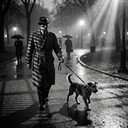
Film Noir

Film Noir

Black & white, high contrast, 1940s

Claymation

Claymation

Hand-sculpted plasticine, stop-motion tactile

Ghibli Watercolor

Ghibli Watercolor

Soft ink & watercolor, ukiyo-e sensibility

Oil Painting

Oil Painting

Classical oil, Old Masters, chiaroscuro

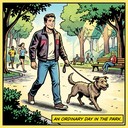
Comic Book

Comic Book

Bold ink lines, Ben-Day dots, vivid color

Whimsical Woodsman

Whimsical Woodsman

Axel Scheffler style, heavy ink, textured pencil

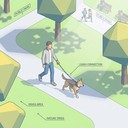
Educational Explainer

Educational Explainer

Clean 3D/2D vector, high legibility for science

Cyber-Neon

Cyber-Neon

Vibrant glows, retro-future, high energy

Technical Blueprint

Technical Blueprint

Architectural lines, drafting paper, engineering

Motion

Animate every scene — your way

Three ways to make it move: full AI scene videos, smart transitions between frames, or Ken Burns pan-and-zoom for a fast cinematic slideshow.

  • Scene videos — Kling animates each frame (5s or 10s clips)
  • Smart transitions — Cinematic, Dynamic, Flyplus, Flying Cam, Dissolve
  • Ken Burns — polished slideshow without burning credits on every clip
  • Per-scene camera styles and version history

Animation & transitions demo

Add a .webm, .mp4, .jpg, .png, or .webp

public/features/animation.webm

Sound & polish

Voice, captions, and music — same tool

No exporting to another app. Narrate, caption, score, and fine-tune timing in one export timeline.

  • Voiceover — Google Chirp3-HD or ElevenLabs; preview before you commit
  • Captions — classic, karaoke, or zoom; edit text per scene
  • Background music — curated library with volume control
  • Stretch video to match narration length
  • Short vs long narration modes per scene

Audio & captions demo

Add a .webm, .mp4, .jpg, .png, or .webp

public/features/audio-polish.webm

Consistency

Reusable characters with their own look

Save people and objects in your library, tag them with @mentions, and they stay consistent across every scene you make.

  • People library — name, description, and/or reference portrait
  • @mention system — same face shows up wherever you tag them
  • Objects library — props and products with URL import from shop pages
  • Built-in Scenette characters ready to drop in
  • Character sheets and animation from the People tab

Characters & @mentions demo

Add a .webm, .mp4, .jpg, .png, or .webp

public/features/characters.webm

Distribute

Publish and schedule everywhere

Connect your accounts, publish now or schedule for later, and run campaigns that generate and queue a week of content automatically.

  • YouTube, TikTok, Instagram, and Facebook — publish or schedule
  • Multi-platform publish in one flow with AI title ideas
  • Campaign mode — daily topics, auto-generation, review before post
  • Content patterns: facts series, myths vs facts, timelines, sub-stories, and more
  • Export as MP4 or ZIP (images + clips)

Publish & campaigns demo

Add a .webm, .mp4, .jpg, .png, or .webp

public/features/publish.webm

Latest models, one place

Pick image and video models without hunting across provider sites. New models get wired in as they ship.

Scripts

Gemini

Story, scene, and campaign topic generation

Images

  • Kling Omni
  • Kling V2
  • Gemini NB
  • NB 2
  • NB Pro

Scene video

  • Kling 2.5
  • Kling 2.5 Turbo
  • Kling 2.6

And a lot more under the hood

Built for creators who publish regularly — not just one-off clips.

Export timeline editor

Pick image and video versions per scene, exclude shots, and slot intros/outros before you export.

Quiz & educational mode

Paste quiz JSON — one question per scene — for interactive or classroom-style shorts.

JSON script import

Power users can bring a fully written multi-scene script instead of AI-generated prompts.

Product URL scraping

Paste a shop link; Scenette pulls product images straight into your UGC workflow.

Intro / outro / logo library

Upload brand bumpers and drop them into the export timeline.

Ken Burns fast path

Cinematic slideshow pan-and-zoom when you want speed over full AI video on every scene.

Public showcase

Shareable watch pages, community wall, stars, and comments.

Per-scene version history

Regenerate images, videos, or transitions without losing earlier takes.

Your next video is one click away

No design skills. No video editing. Just your idea — and Scenette does the rest.

Create your first story free
Features — Scenette